


 FAQ
※ We have collected frequently asked questions from our customers.
FAQ
※ We have collected frequently asked questions from our customers.
Search FAQ
| Q | What are your business hours? |  |
 |
Our business hours are Monday to Friday, from 10:00 AM to 5:00 PM.
|
|
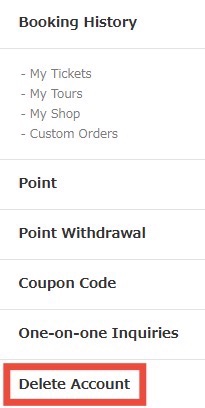
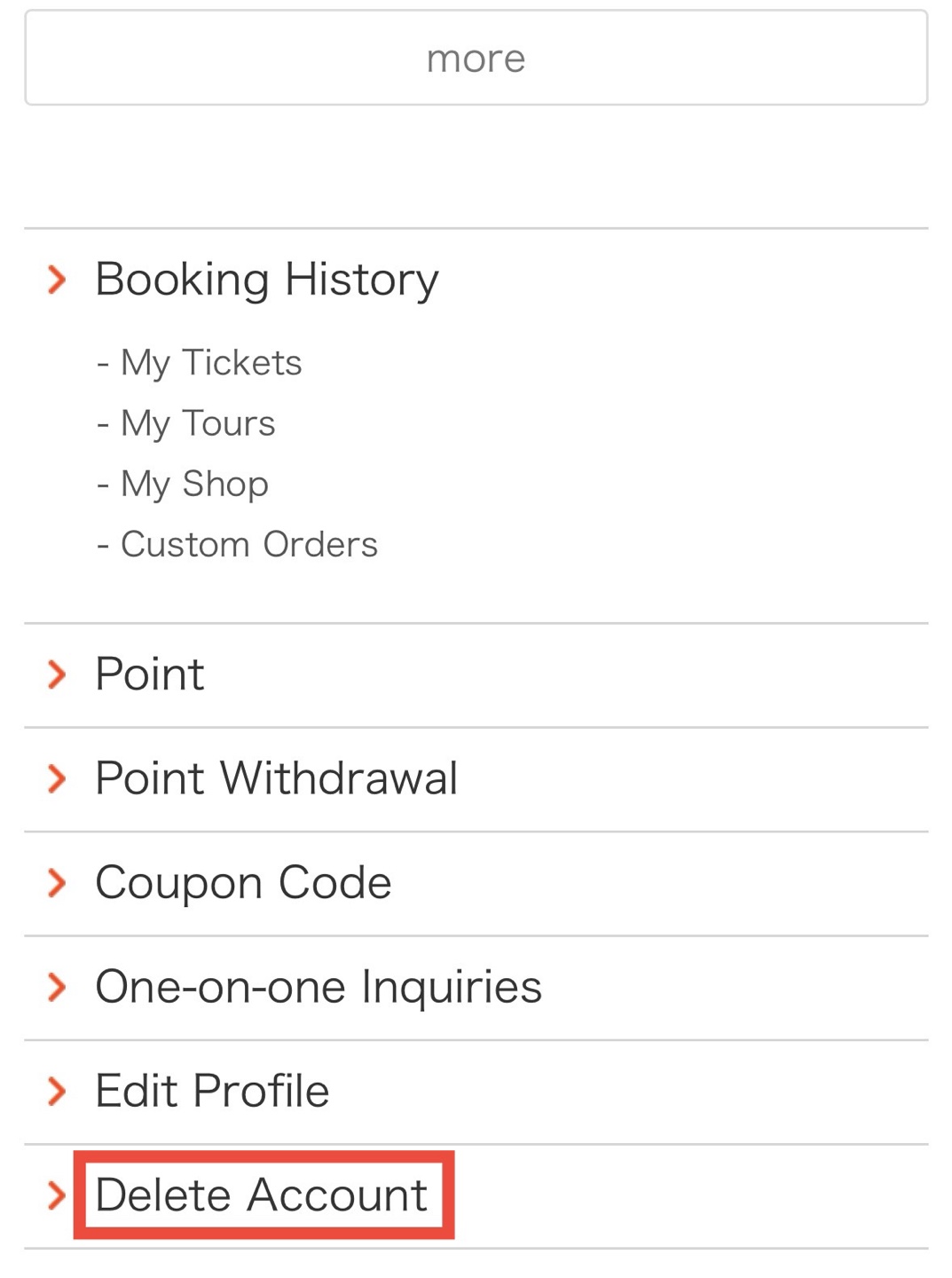
| Q | How can I delete my account? | |
|
You can delete your account from your My Page. ※ We are currently working on improving our system. We apologize for any inconvenience and appreciate your understanding. For web users
|
|
| Q | How can I cancel my booking? | |
|
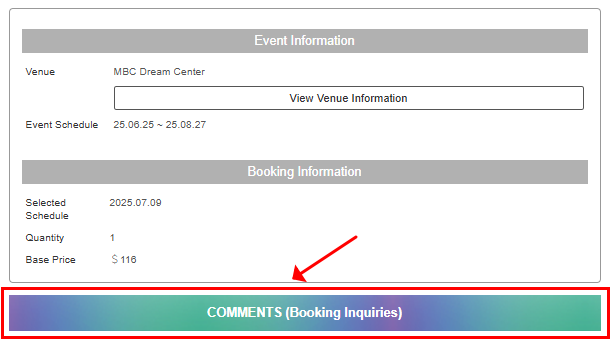
For cancellations before or after payment, please contact us through the COMMENTS section on your booking page. |
|
| Q | Can I pay by PayPal? | |
|
Currently, PayPal is not accepted. Only credit card payments are available. |
|
| Q | What is the COMMENTS section and where can I find it? | |
|
Please go to [Current Bookings] -> [Booking Details] in your My Page and select the event you have booked.
For web users
For mobile users
If you don't receive notification emails 1. Please double-check that the email address you registered during sign up or booking does not have any spelling errors. 2. Check your email account settings to ensure that our address is not marked as spam.
※ All information including payment amount, deposit confirmation, changes, additions, cancellation requests, and the status of your request can be checked via your My Page. |
|
| Q | How can I make changes to my booking? | |
|
If you would like to add participants, cancel, or change the date after booking, please contact us through the COMMENTS section on the reservation page.
★Click here for instructions on how to use the COMMENTS section★ |
|
| Q | How can I book more than one event? | |
|
If you are booking more than one event of the same show, please make sure to do so under a single booking number. -Even if you and your friend each book one event separately, it will not impact ticket allocation in any way.
|
|
| Q | Can I make changes after my ticket has been arranged? | |
|
Changes may be possible if alternative tickets are available.
|
|
| Q | What should I do if the event/product I want doesn’t have a product page? | |
|
If the event/product you’re interested in doesn’t yet have a product page, you can still make a request through the "Custom Order" section. You may also send the event details via the 1:1 Inquiries section, but please note that we may not be able to provide a detailed quote in that case. |
|
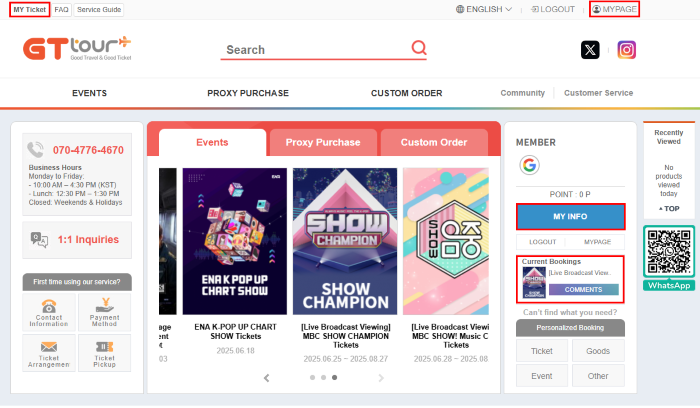
| Q | How can I check my booking status? | |
|
You can check your booking status at your My Page. MY Ticket All of these icons will allow you to view your booking status. |
|



 Customer Service
CUSTOMER CENTER
+82-70-4776-4670English local time 10:00 ~ 16:30 lunch 12:30 ~ 13:30
SNS Channel


 Official Member of the Korea Association of Travel Agents (KATA)